
Cut the Busywork Out of Your Day

Why I Do This
What if everyone in your company had an AI assistant that understood how they work?
Not a generic chatbot.
Not another subscription people try for two weeks and then forget.
A practical assistant, set up around their actual daily work.
For one person, it drafts emails in their usual tone. For another, it turns meeting notes into a clear summary and action list.
A salesperson uses it to research prospects. A property agent uses it to turn listing details into a first-draft proposal. An operations manager uses it to summarise reports and spot what needs attention.
That’s where I see AI adoption heading. The question is no longer “Does your company use AI?”
The better question is: what work should your people stop doing by hand?
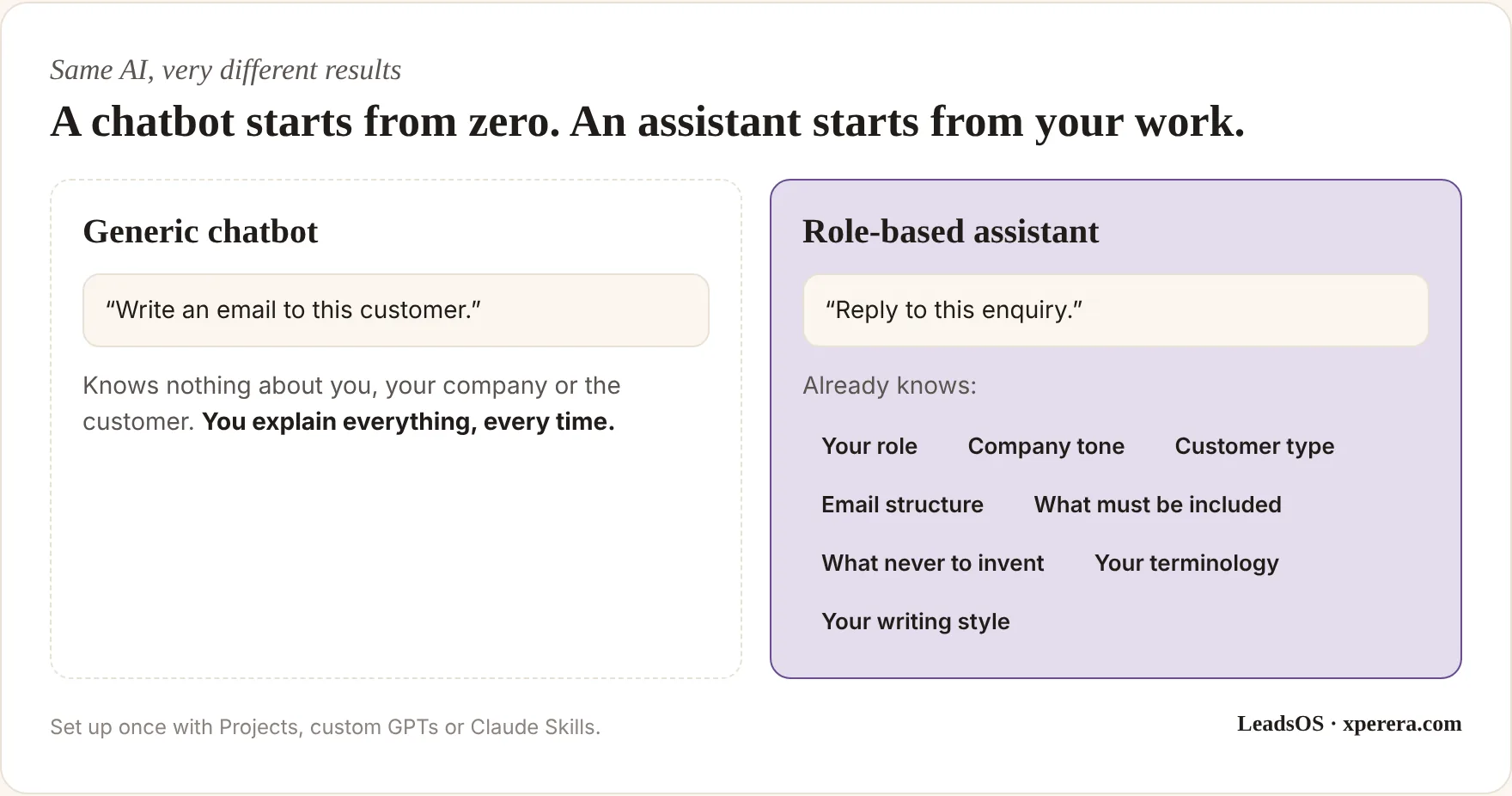
The difference is context.
ChatGPT Projects keep related chats, files and instructions together, and custom GPTs can be set up with their own instructions and knowledge. Claude offers Projects too, plus Skills: reusable instructions that teach it how to do a recurring task the same way every time.
So instead of explaining how you want the work done again and again, you build it in once.
Start With the Person, Not the Tool
When I help a business adopt AI, I don’t start with which subscription to buy.
I start with what each person does all day:
- What do they repeat every day?
- Which documents do they create every week?
- Which emails do they write again and again?
- What information are they always searching for?
- Which tasks need real judgment?
Most of all: where are they spending time on work that doesn’t need their full attention?
That matters because not every task needs AI. Some need automation. Some need an integration. Some need a well-written prompt, some a custom assistant, and some should stay completely human.
Six Roles, Six Assistants
Here’s what that looks like in practice. These are illustrative examples based on common small-business roles.
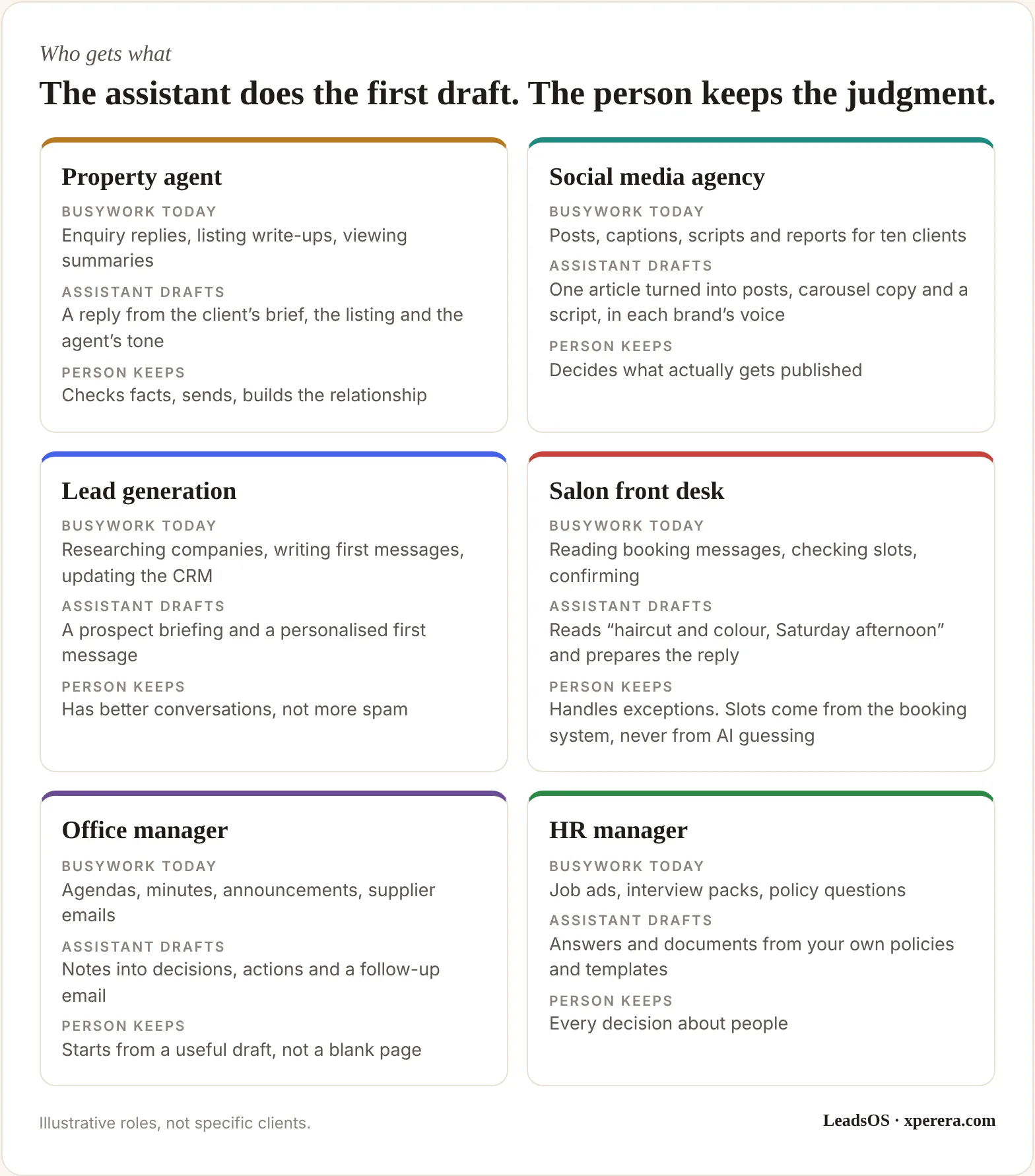
Take the property agent. A ten-agent office spends hours every week on the same writing: replying to enquiries, describing properties, comparing options, following up after viewings.
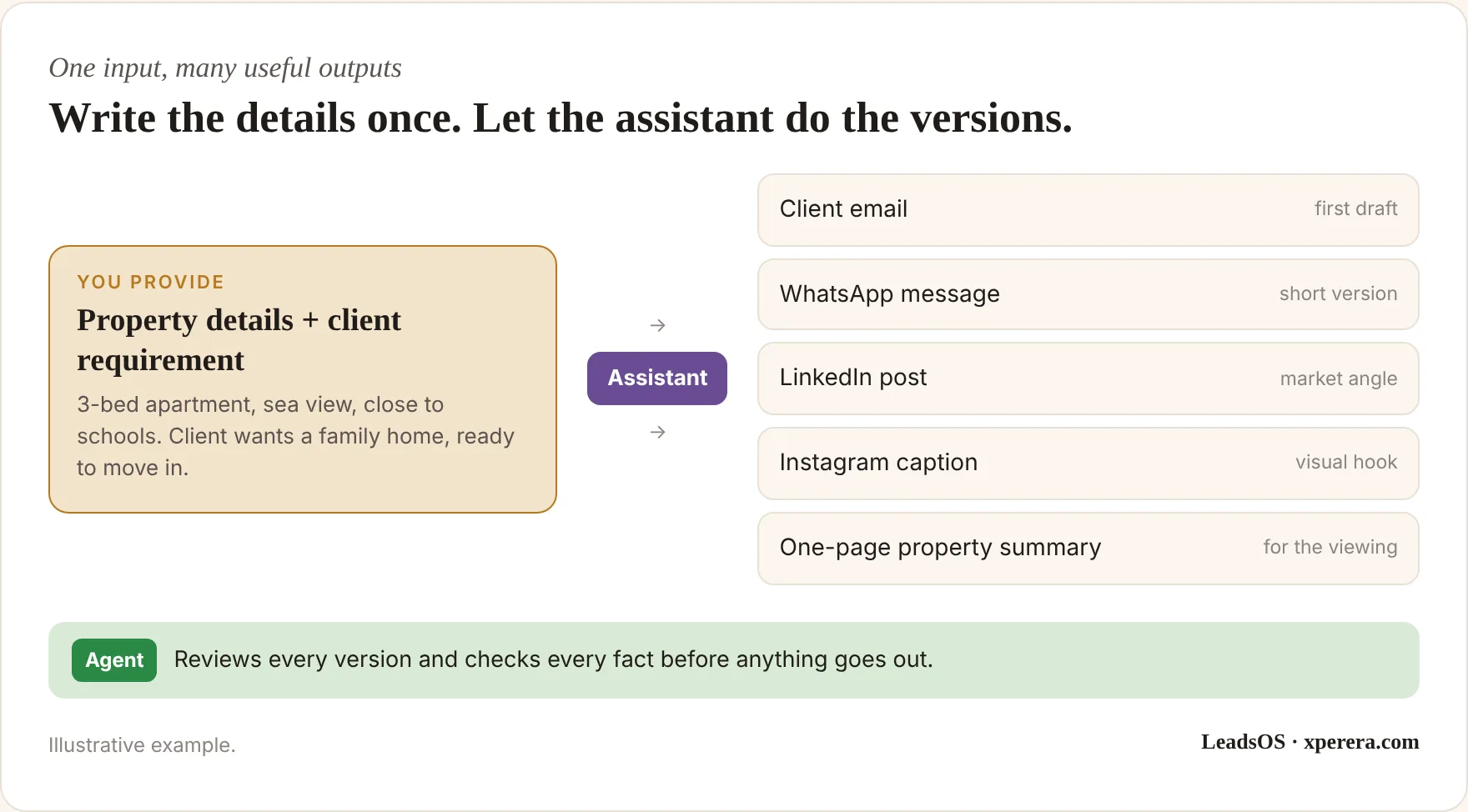
With an assistant, the agent gives it the client’s requirement and the property details. The assistant combines them with the agent’s tone and the company’s guidelines, and produces a first draft.
The agent reviews it, then sends it.
The agent hasn’t been replaced. Part of the writing has.
And the same property information can become much more than one email:
The salon example is worth a closer look, because it shows where an assistant ends and automation begins.
AI can understand a message like “Can I get a haircut and colour on Saturday afternoon?” But it should never guess availability. The booking system provides the slots, a workflow connects the two, and a person handles the exceptions.
That’s the territory of my Stop Copying Data Between Tools service. Assistants help people; automation connects systems. The best setups use both.
Which Assistant Fits Which Person?
For many small businesses, I start by looking at ChatGPT and Claude. Both work as flexible assistants across a wide range of knowledge work.
A marketing manager gets a project holding brand guidelines, past campaigns, customer personas and approved examples. A sales manager’s holds the pitch deck, product details, common objections and past proposals. An HR manager’s holds policies, job descriptions and onboarding documents.
Each person gets an AI workspace shaped around their work. That beats announcing “You all have ChatGPT now.”
But where people already spend their day matters just as much:
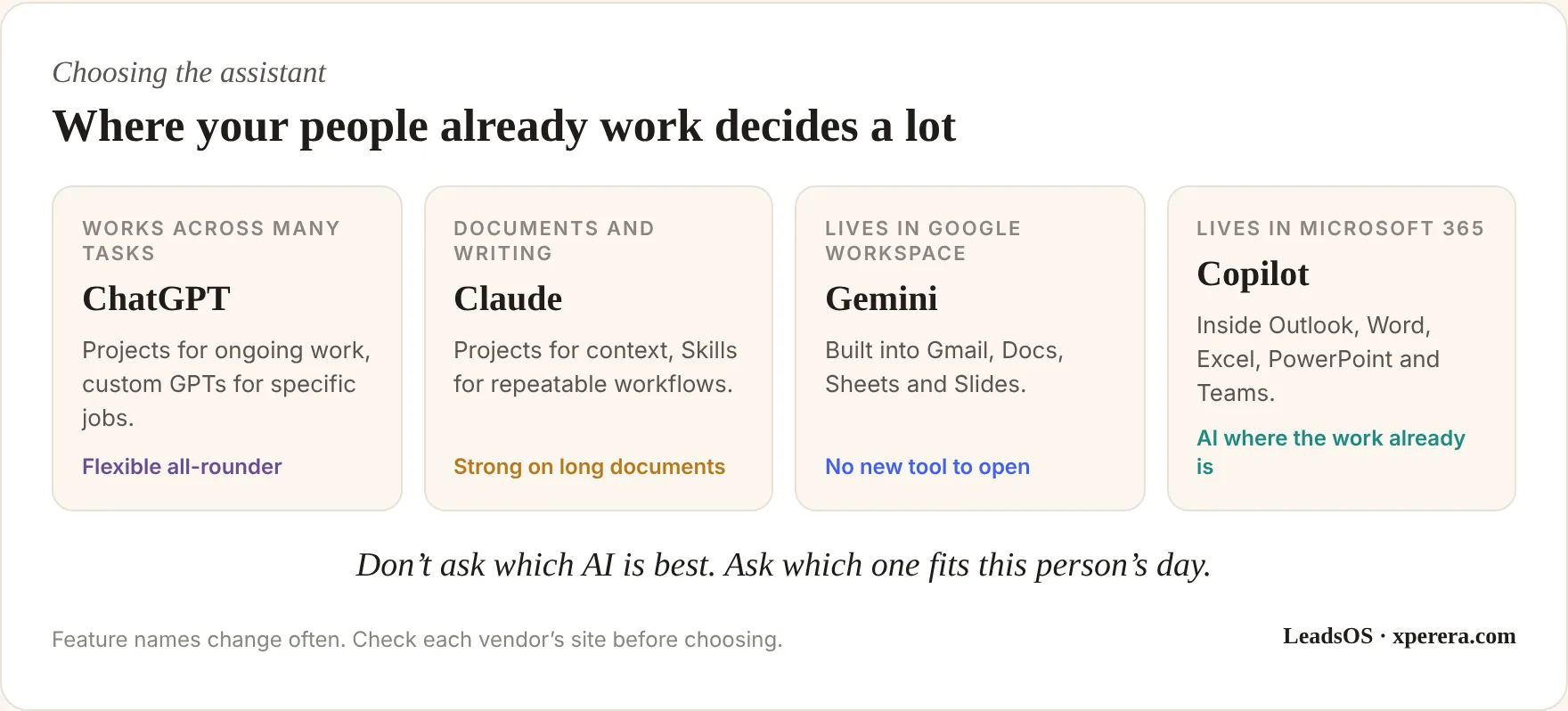
Someone who lives in Gmail and Google Docs may get more from Gemini, simply because it’s already where they work. Someone who spends all day in Outlook and Excel may be better served by Copilot than by a separate tool.
The advantage isn’t that one AI is smarter. It’s where it sits in the person’s existing workflow.
That’s also why one company-wide tool with one-size-fits-all training often disappoints. A finance officer, an agent and a marketer do completely different work. Their assistants shouldn’t work the same way, even if they run on the same platform.
For a deeper comparison, see ChatGPT vs Claude vs Copilot: An SME Buyer’s Guide.
The Evidence Is Moving Beyond Hype
This isn’t just a trend. Two large field studies show what happens when AI is built into real work.
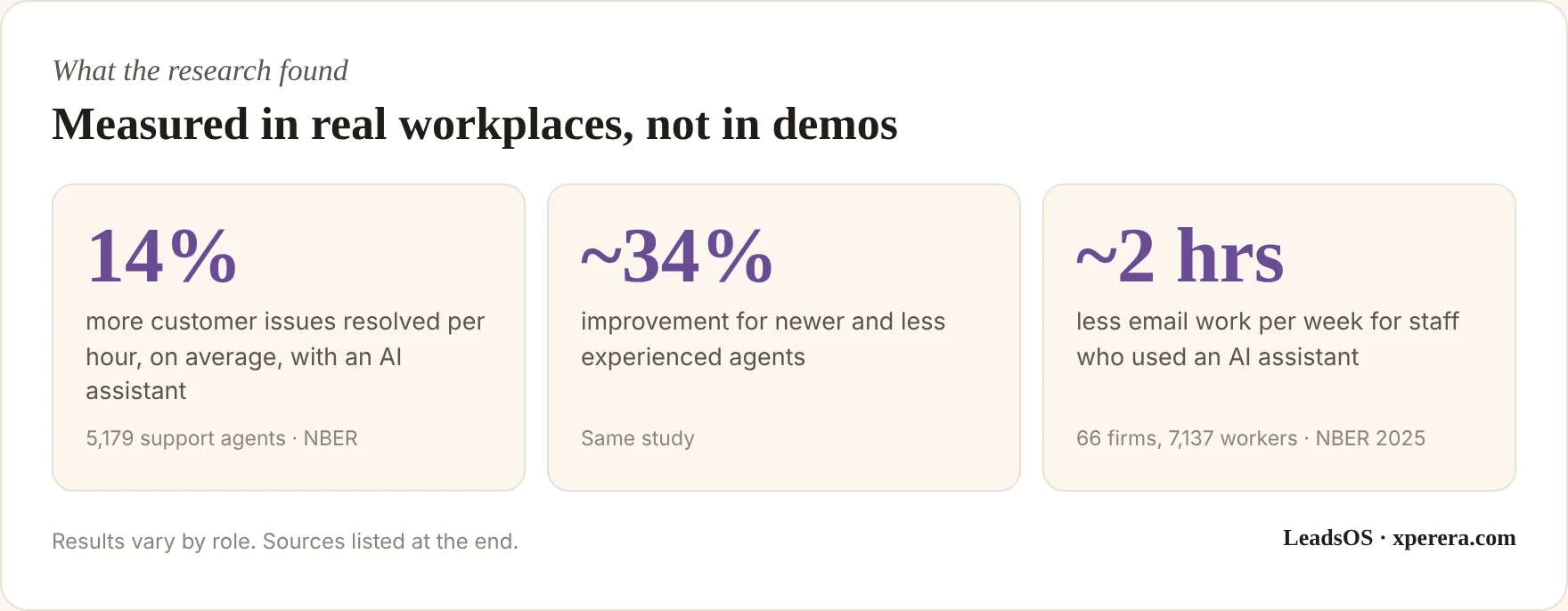
These numbers don’t mean every employee will save 14% or two hours. Different jobs get different results.
But they show the principle clearly: AI creates measurable value when it’s part of real work, not a novelty people open now and then.
This Is What an AI Audit Is For
Before I recommend anything, I look at what people do, which tools they use, what they repeat, where they lose time and where mistakes creep in.
The outcome isn’t a shopping list of AI tools. It’s a practical plan, person by person:
- A salesperson: a ChatGPT Project and a few reusable prompts
- A proposal writer: a Claude Project with a Skill
- A Google-based marketing team: Gemini inside Workspace
- A Microsoft-based finance team: Copilot in Outlook, Word and Excel
- A repetitive data process: n8n, Zapier or Make
And sometimes the answer is: don’t use AI here, fix the process first. That’s a successful audit too.
Start With One Person, Then Scale
I don’t recommend a big transformation project on day one. Start with one department, or even one person.
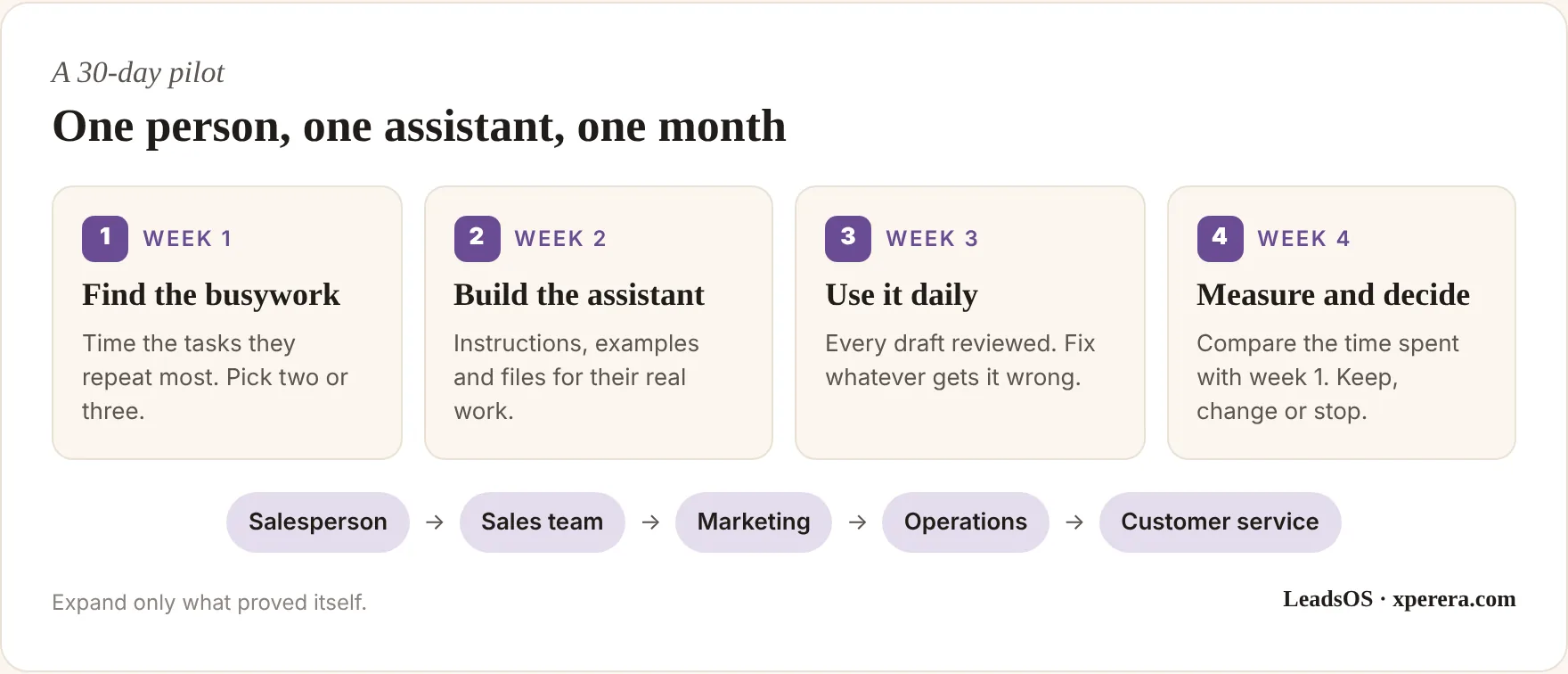
Measure the time saved, refine the instructions and examples, turn what works into a reusable setup, then roll it out to the rest of the team.
It’s a far more practical path than buying licences for everyone and hoping.
The Goal Isn’t More AI
The goal is less busywork.
I don’t want people spending their day juggling five AI tools. I want them spending less time on work a good assistant can start for them.
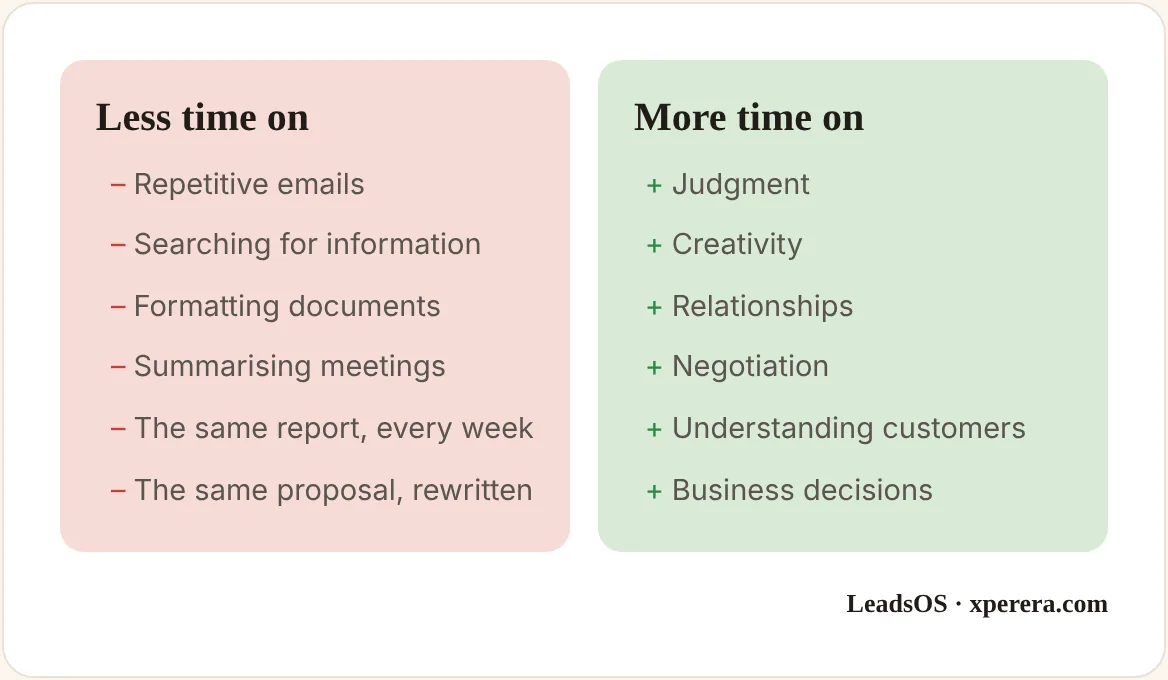
Done well, AI becomes almost invisible.
Nobody should start the day wondering which AI tool to use. They should simply think:
So don’t buy AI because everyone else is. Give each person the right assistant for the work they actually do.
And before you choose any tool, audit the work first.
Frequently Asked Questions
Is a custom GPT or Claude Skill hard to set up?
No. Most take an afternoon: clear instructions, a few good examples and the files the person uses every week. The real work is deciding what the assistant should and shouldn’t do.
Do we need a different AI platform for every role?
Usually not. One platform, set up differently for each role, covers most small teams. The context changes, not the subscription.
Is it safe to put company files into an assistant?
Use business or team plans that don’t train on your data, keep sensitive information out unless it’s needed, and agree simple rules on what can be shared before anyone starts.
Will this replace my staff?
That isn’t the aim. The assistant takes the first draft and the repetitive formatting, so your people get time back for customers, sales and decisions.
Want to see where your team’s busywork is hiding?
Book a 20-minute call and we’ll pick the one role where an AI assistant would save the most time, and what it should know.
Brynjolfsson, Li & Raymond, Generative AI at Work, NBER Working Paper 31161.
Dillon, Jaffe, Immorlica & Stanton, Shifting Work Patterns with Generative AI, NBER Working Paper 33795 (2025).