A free 32-slide PowerPoint pack: proven frameworks for everyday AI prompts, plus a 7-section formula for consistent, professional AI images.
We’ll email you a confirmation link — click it and your download link arrives right after.
300 × 250 — Medium Rectangle
Most people blame the AI when they get a generic answer.
Usually, the prompt is the problem.
This free pack shows you how to ask ChatGPT, Claude, Copilot or any image tool for exactly what you want, the first time.
It’s built from the prompts I use and teach, with real examples and the actual images each one produced.
Short answer: give the AI structure. Start with a simple three-part prompt for everyday work, and fill seven sections for images. This pack shows you both, step by step.
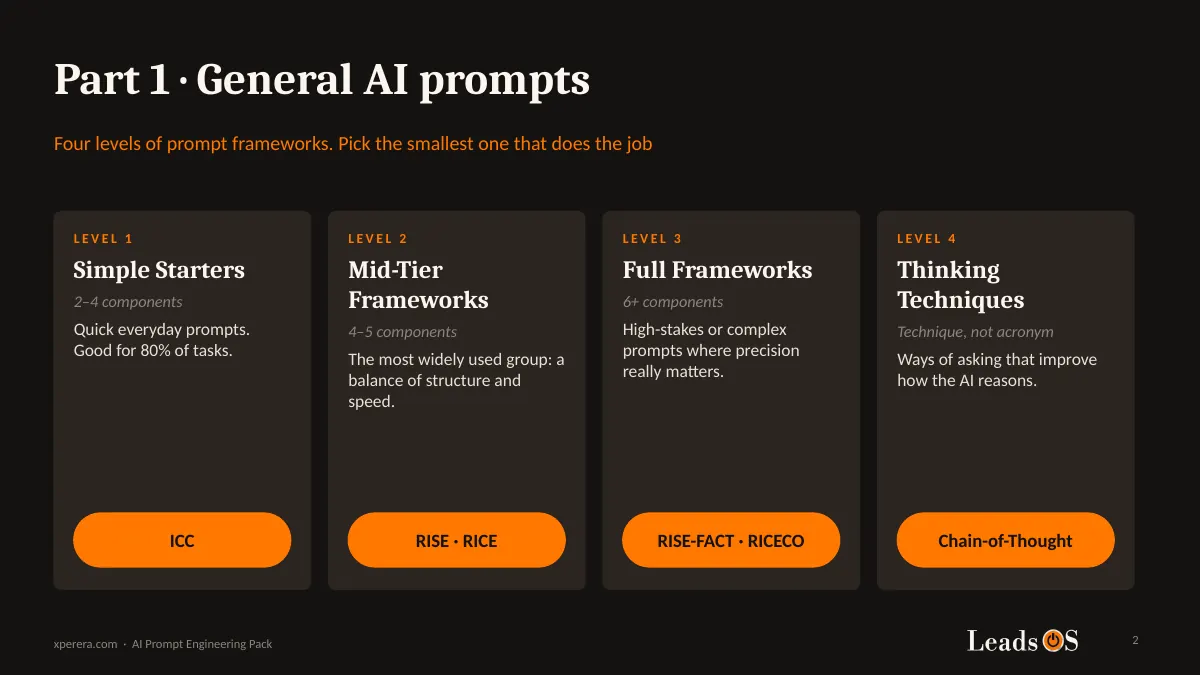
Four levels of prompt frameworks. Pick the smallest one that does the job.
Why Most AI Answers Feel Generic
When you leave something out, the AI fills the gap with the most average answer it can find.
Average tone. Average length. Average everything.
The fix isn’t longer prompts. It’s the right parts, in the right order.
That’s what a prompt framework gives you: a short checklist, so nothing important gets left out.
Part 1: Start Small With ICC
You don’t need a 20-line prompt for most tasks.
The pack starts with ICC, the smallest framework that still works:
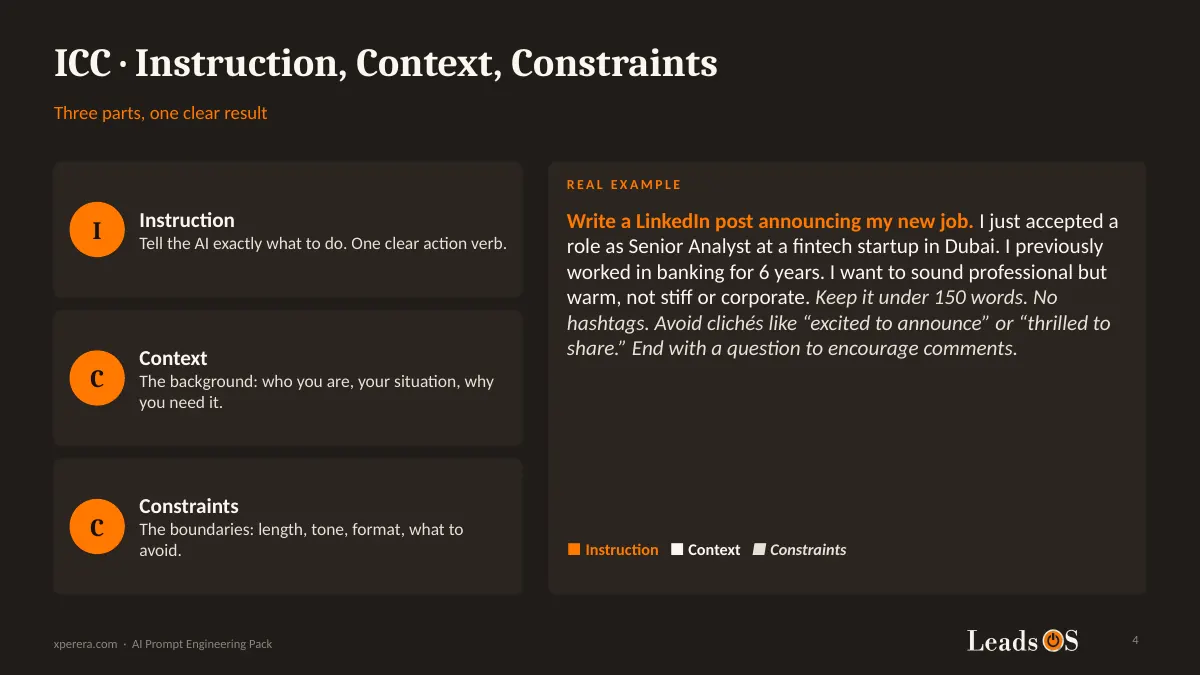
Instruction. Tell the AI exactly what to do. One clear action verb.
Context. Who you are, your situation, and why you need it.
Constraints. Length, tone, format, and what to avoid.
Three parts. That alone fixes most everyday prompts.
ICC in action: a real LinkedIn post prompt, colour-coded by part.
Move Up a Level Only When You Need To
If the answer still misses, you don’t start again. You add one more piece.
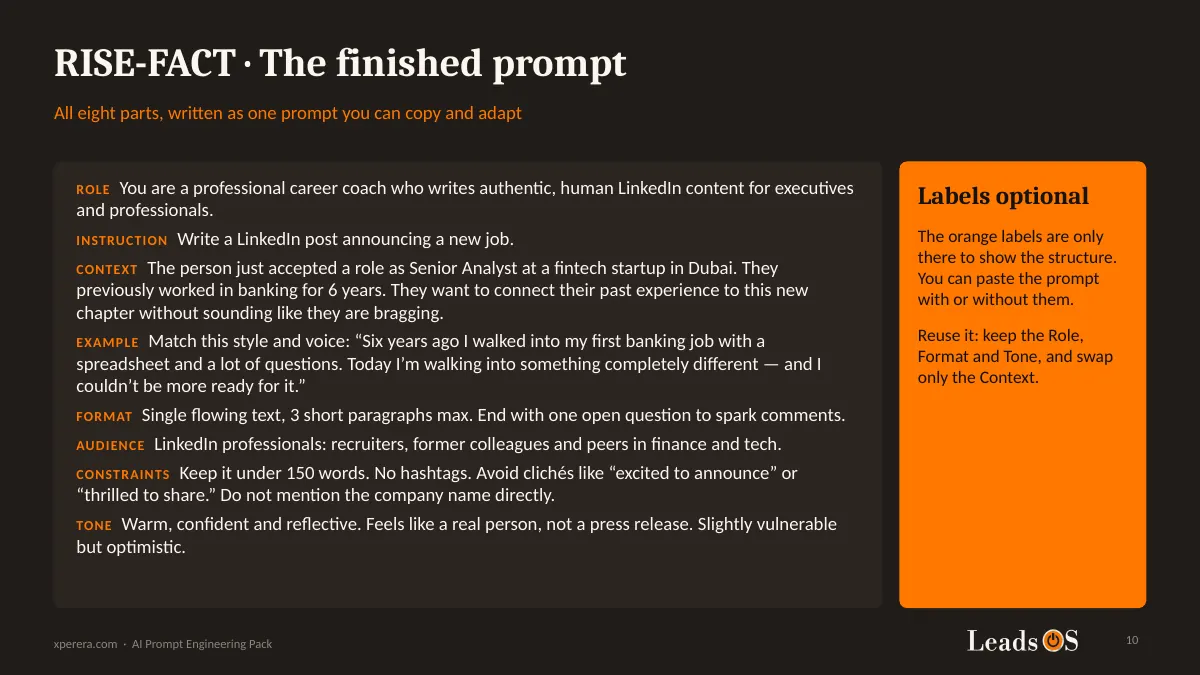
Add a Role, so the AI knows who to be. Add an Example, so it copies your style. Add Format, Audience and Tone when the work really matters.
The pack covers more than 20 frameworks in plain tables, including RTF, RICE, RISEN, CO-STAR and RISE-FACT, with what each one is best for.
It also covers eight tones, four kinds of constraints, and six thinking techniques such as Chain-of-Thought and Few-Shot.
A finished RISE-FACT prompt, ready to copy and adapt.
Key lesson: pick the smallest framework that does the job. Move up a level only when the answer misses.
Part 2: The 7-Section Image Prompt
Image prompts fail for the same reason text prompts do: missing information.
The pack uses one formula for every image:
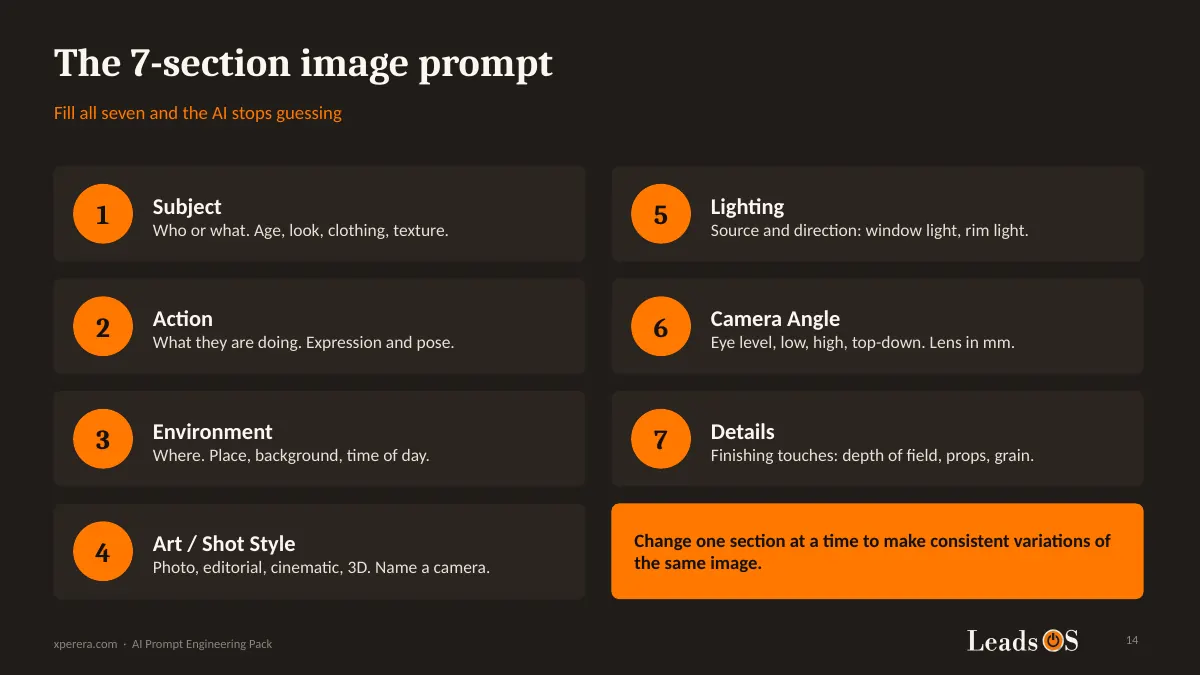
Subject. Who or what. Age, look, clothing.
Action. What they’re doing.
Environment. Where it happens.
Art or Shot Style. Editorial, cinematic, 3D. Even the camera model.
Lighting. Where the light comes from and what it does.
Camera Angle. Eye level, low, high, top-down. The lens in millimetres.
Details. Depth of field, props, film grain.
The 7-section image prompt: fill all seven and the AI stops guessing.
Every image prompt in the pack is shown next to the image it produced, so you know what to expect.
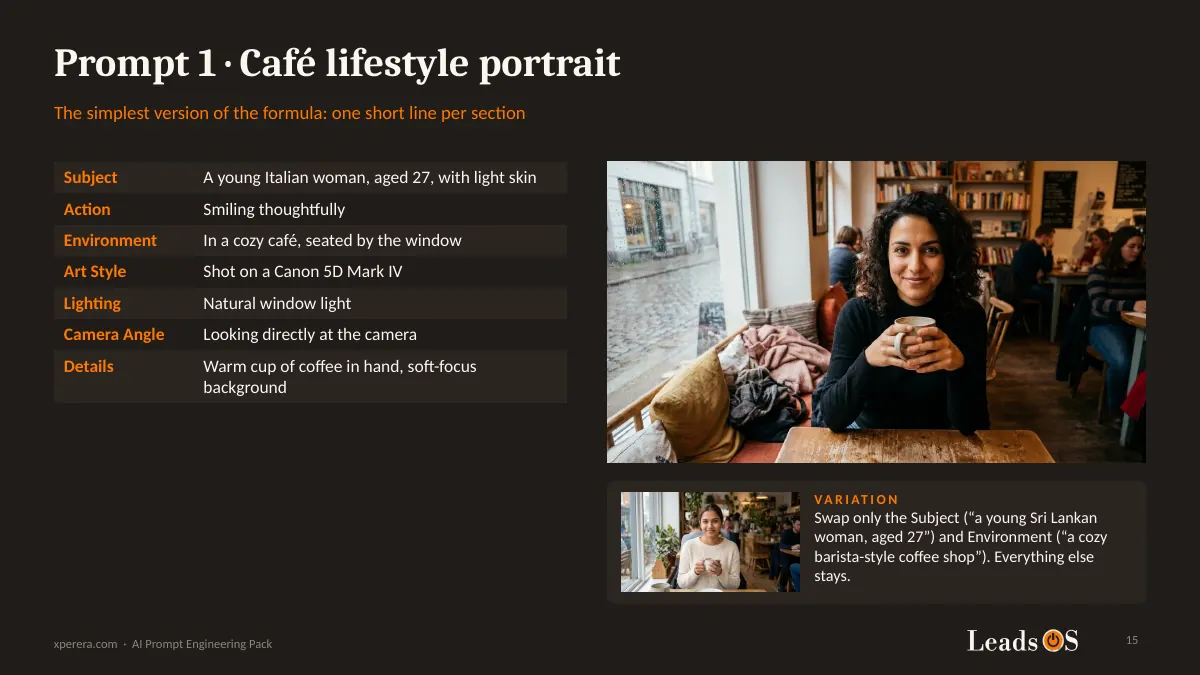
Prompt 1: a café portrait, with one short line per section.
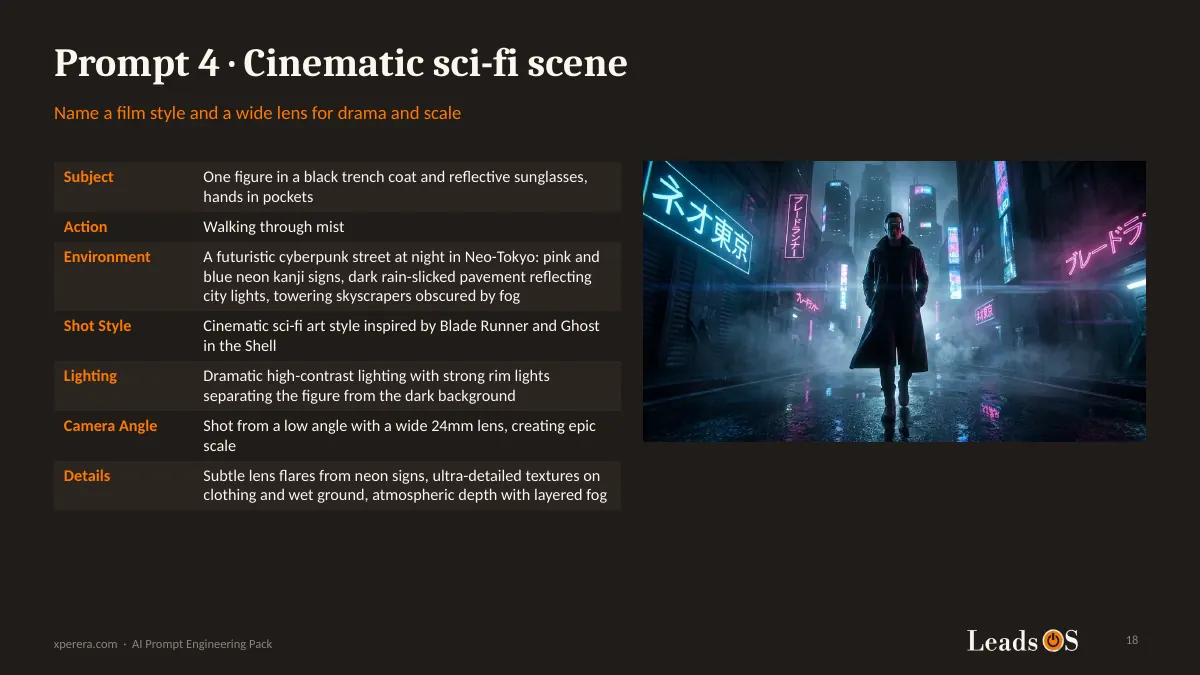
Name a film style and a lens, and the same formula gives you a cinematic scene.
Prompt 4: a cinematic sci-fi scene built from the same seven sections.
Paragraph or Sections? The Billboard Test
I wrote the same 3D billboard idea two ways.
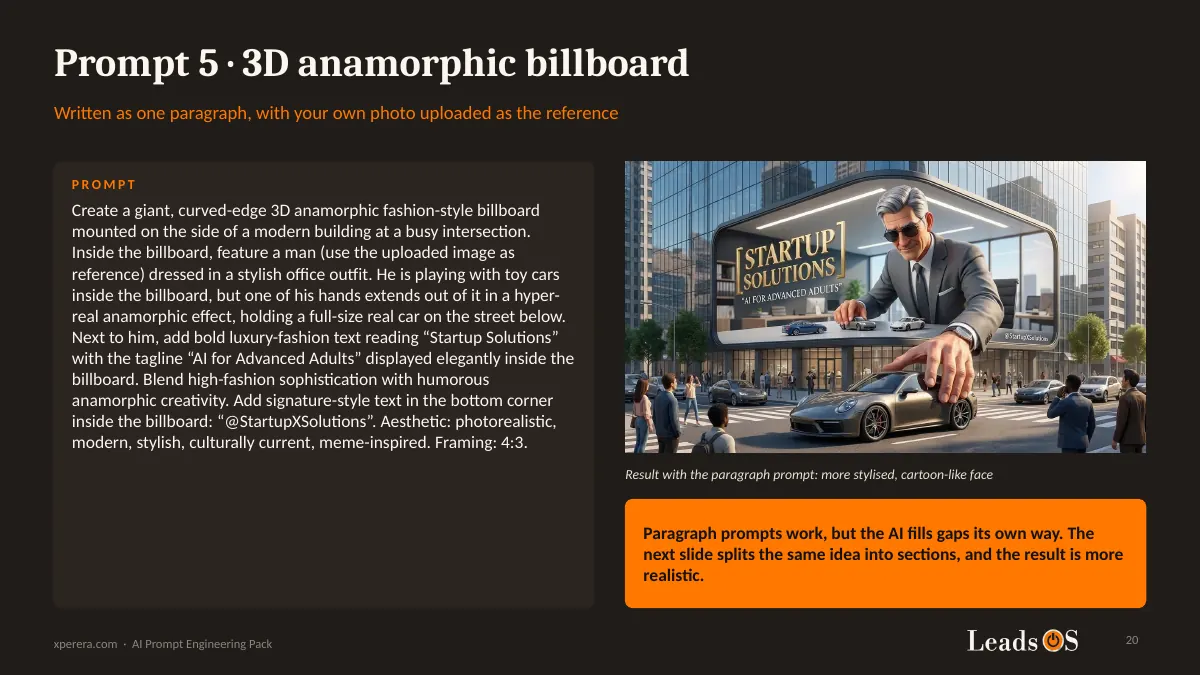
First as one long paragraph. The result worked, but the AI filled the gaps its own way, and the face came out cartoon-like.
Then I split the same idea into sections. The result was far more realistic.
For ads and branded visuals, the pack adds five extra sections: Text Elements, Visual Effects, Mood, Branding and Aesthetic.
The paragraph version of the billboard prompt, and what it produced.
From a Pen Sketch to a Product Photo
You don’t always need to describe everything in words.
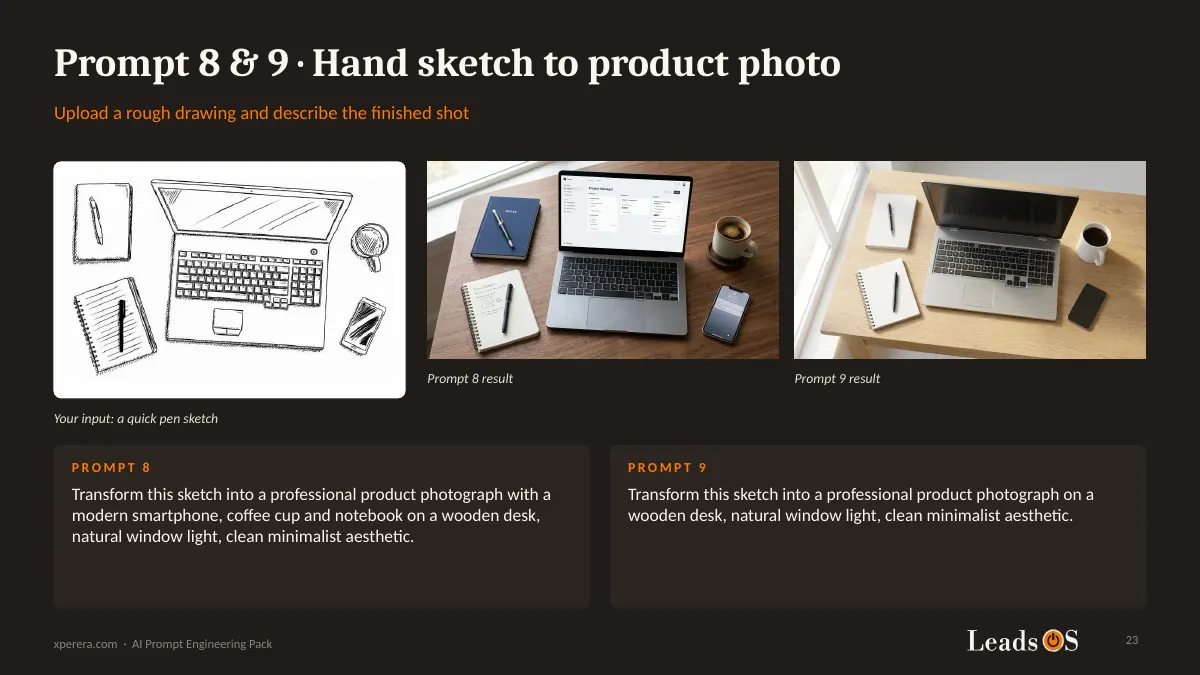
Upload a rough drawing, describe the finished shot, and the AI does the rest.
Prompts 8 and 9: a quick pen sketch turned into product photos.
The pack also includes a three-panel product unboxing storyboard, built from one plain product photo.
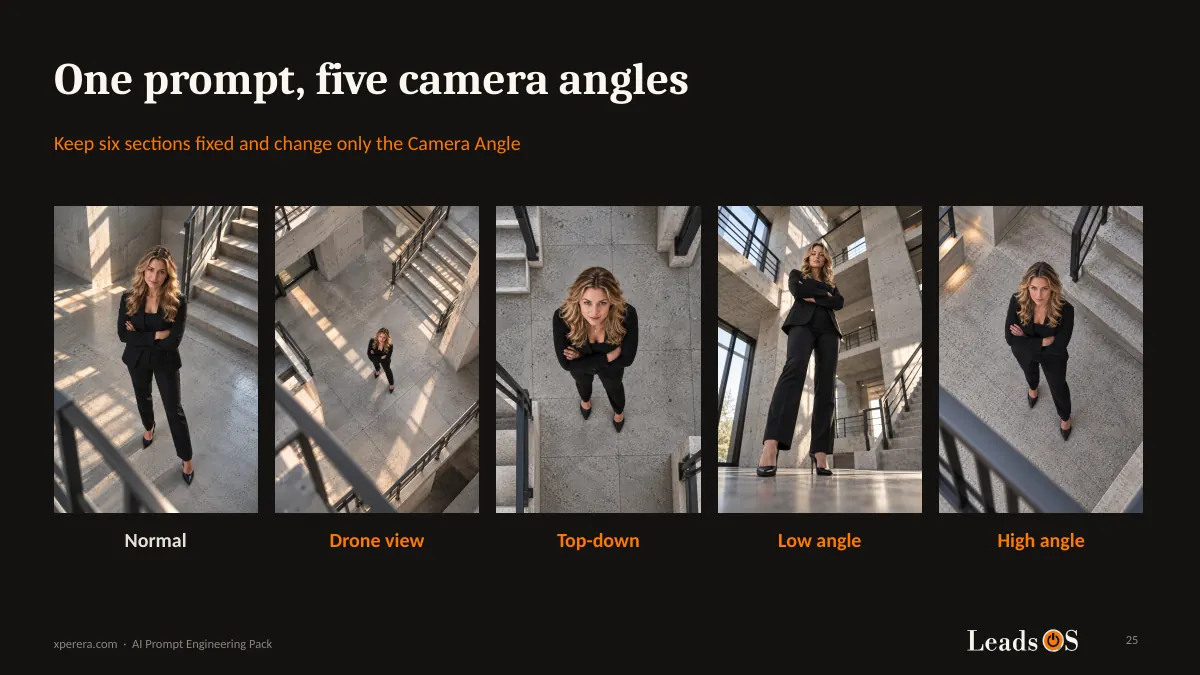
One Prompt, Five Camera Angles
This is the trick that makes a consistent series of images.
Keep six sections fixed. Change only the Camera Angle.
The same woman, in the same outfit and the same building, shot from eye level, a drone, directly overhead, the floor, and above.
One base prompt, five camera angles. Only one section changes.
That’s how you build images for a brand, a website or a social feed that actually look like they belong together.
What You Get Inside
The pack is a 32-slide PowerPoint file in a dark, easy-to-read style.
Part 1, general prompts: four levels of frameworks, 20+ frameworks in plain tables, eight tones, four kinds of constraints and six thinking techniques.
Part 2, image prompts: the 7-section formula, the extended format for ads, and 12 tested prompts with their results.
Camera angles: one fixed base prompt, plus four camera-angle blocks you can swap in.
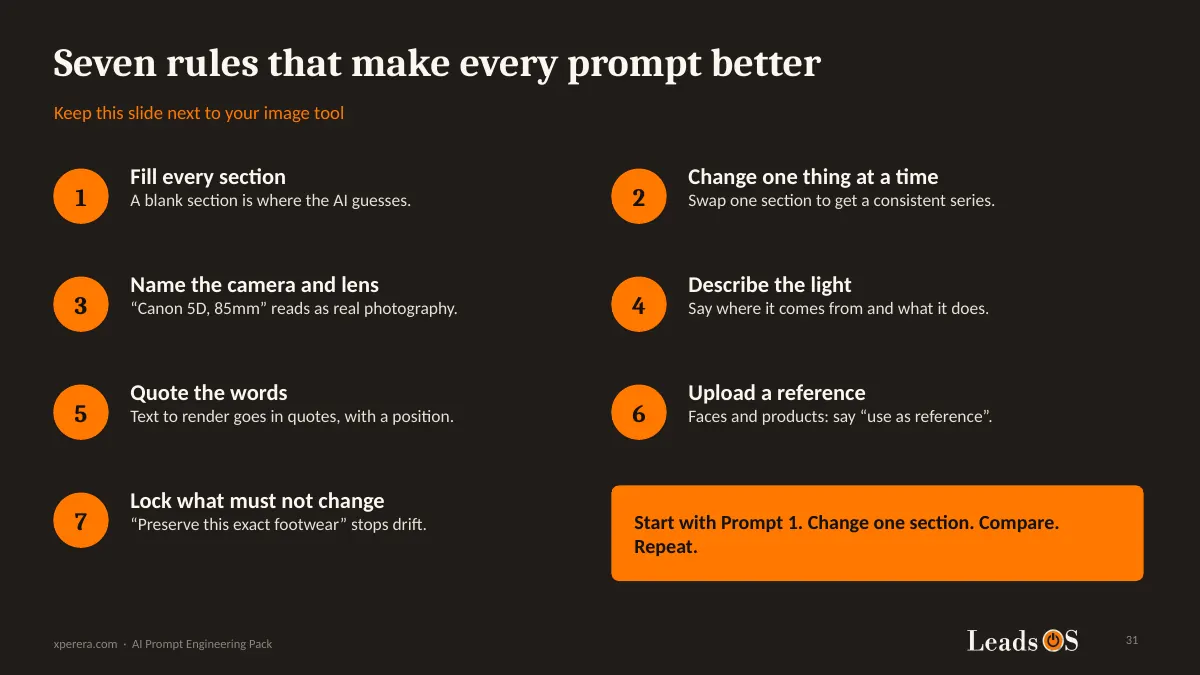
A cheat sheet: seven rules to keep next to your image tool.
The prompts are plain text on the slides, so you can copy and paste them straight into your AI tool.
The cheat sheet: seven rules that make every prompt better.
Who This Is For
This pack is for small and medium business owners and their teams who use AI every day but keep getting generic answers.
It’s also for marketers who want better images for their website, social posts or product pages, without briefing a designer every time.
You don’t need to code. If you can describe what you want in a sentence, you can use this pack.
Limitations You Should Know
I want to be honest about what this pack is, and what it isn’t.
AI tools change fast. Your results will vary between tools and even between runs of the same prompt.
The images in the pack show the kind of result to expect, not an exact copy of what you’ll get.
Some prompts use an uploaded photo as a reference. Only upload photos, logos and brand names you own or have permission to use.
My advice: don’t hunt for the perfect prompt. Start with Prompt 1, change one section, compare the results, and repeat.
Get the Free Pack
Enter your name and email above.
Confirm your email, and the download link arrives in your inbox.
Then open the pack, copy one prompt, and try it today.