A free 60-slide PowerPoint pack: create AI videos with ChatGPT and Google Flow, using tested prompts and copy-ready examples.
We’ll email you a confirmation link — click it and your download link arrives right after.
300 × 250 — Medium Rectangle
You don’t need an expensive AI video platform to start making good videos.
This free pack shows you how to do it with two tools you can use today: ChatGPT and Google Flow.
It’s built from my own tests, with real prompts, real results and honest notes on what didn’t work.
Short answer: make your character and scenes as images in ChatGPT first, then bring them to life in Google Flow. This pack shows you exactly how, step by step.
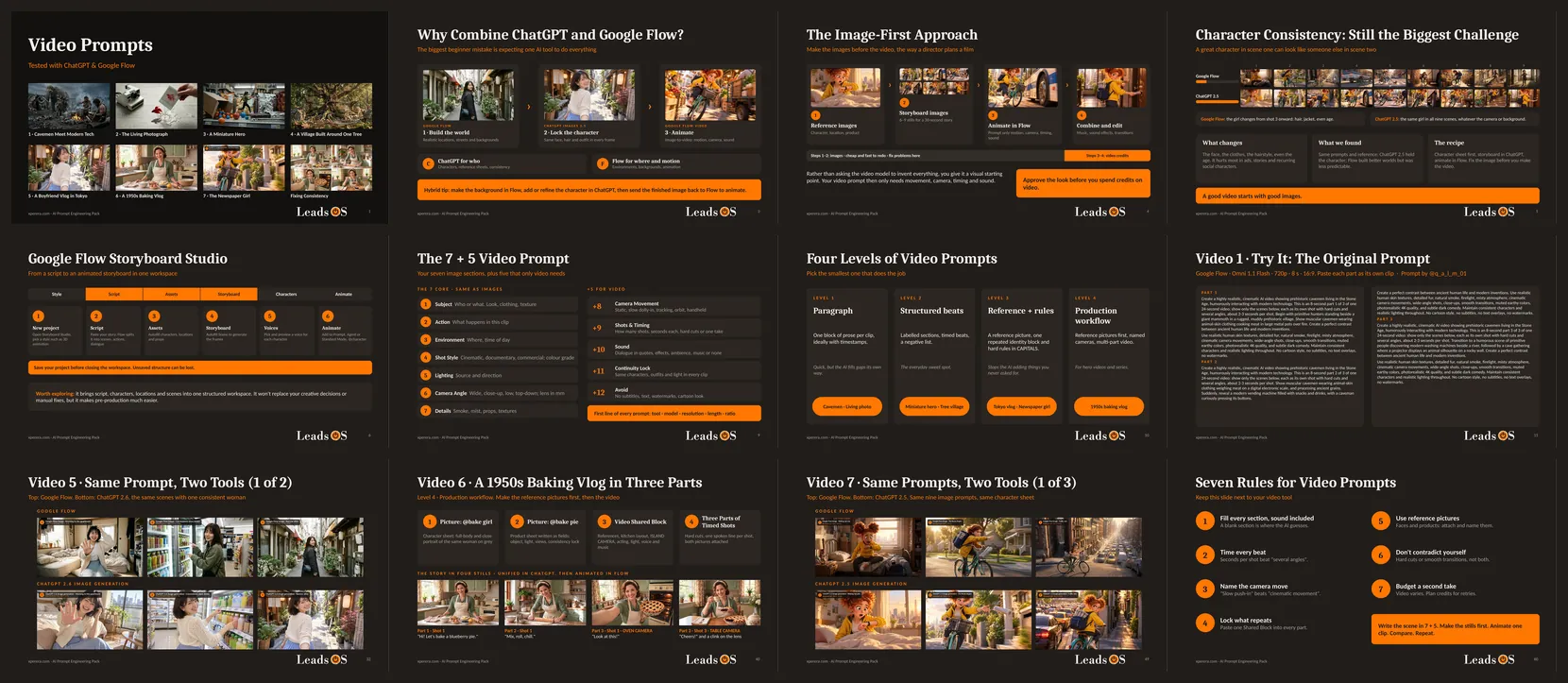
A preview of the slides inside the pack.
Why This Pack Uses Two Tools, Not One
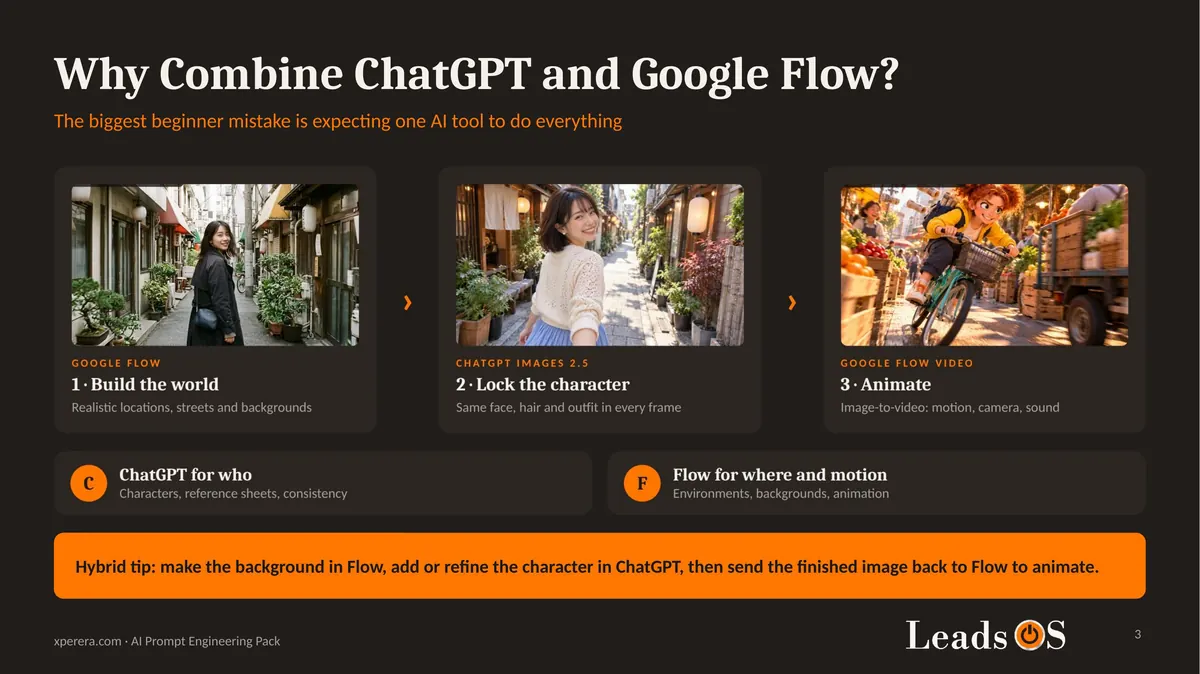
The biggest beginner mistake is expecting one AI tool to do everything.
In my tests, each tool was good at a different job.
ChatGPT Images 2.5 was the best at keeping a character the same. Same face, same hair, same outfit, across nine different scenes.
Google Flow was better at building realistic worlds and animating them. Streets, shops and backgrounds looked like real places.
So the pack uses each tool for what it does best.
ChatGPT for who. Flow for where, and for motion.
Start With Images, Not Video
Most people type a long video prompt and hope for the best.
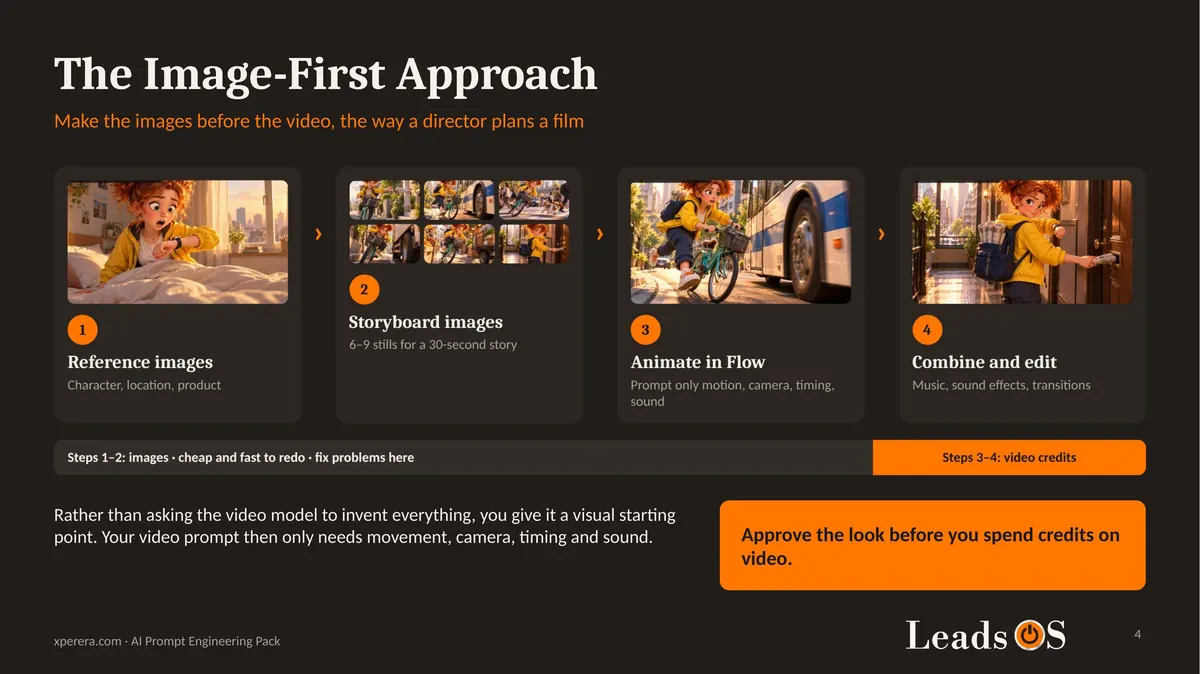
A better way is to plan your video like a film director: picture first, motion second.
Make reference images. Your character, and any location or product.
Make storyboard images. One still per moment. Six to nine is enough for a 30-second story.
Animate them in Google Flow. Your prompt now only needs movement, camera, timing and sound.
Edit the clips together. Add music, sound effects and transitions.
Images are quick and cheap to redo. Video uses credits.
So fix problems while they are still images.
The image-first workflow used throughout the pack.
The Consistency Test Behind This Pack
Character consistency is still the biggest problem in AI video.
A great character in scene one can look like someone else in scene two.
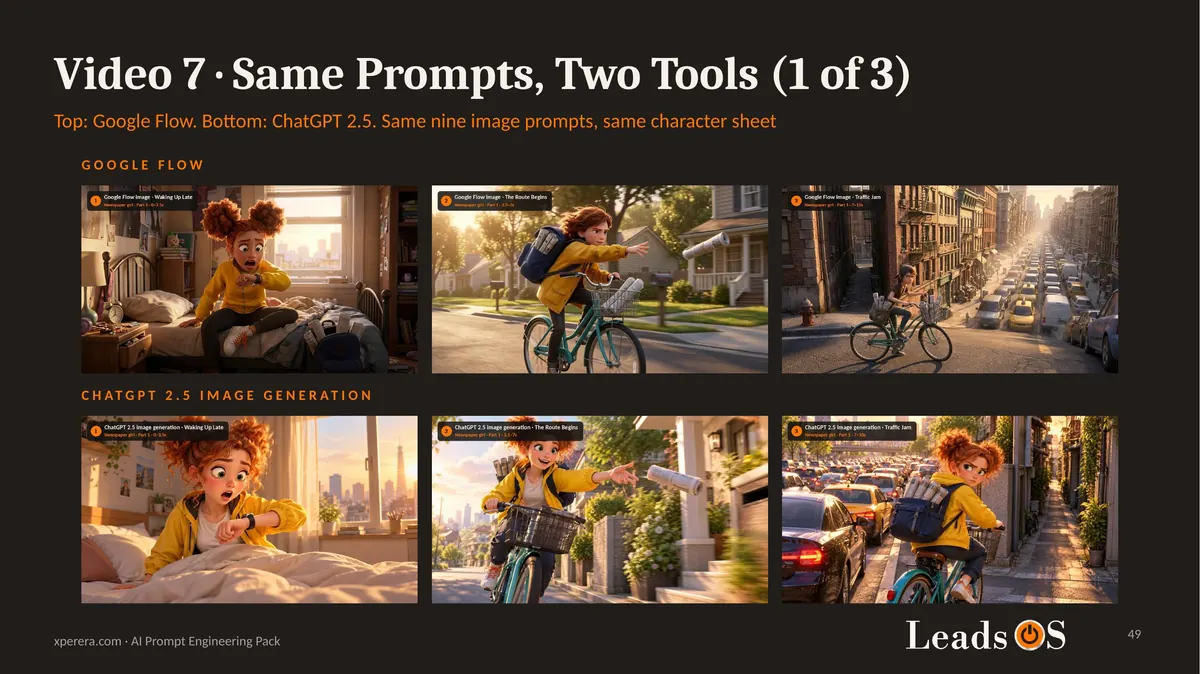
To test it, I gave both tools the same nine prompts and the same character sheet: a newspaper delivery girl racing across a city.
Google Flow started well, then from scene three her hair, jacket and even her age changed.
ChatGPT Images 2.5 kept the same girl in all nine scenes.
Same prompts, same reference. Flow on top, ChatGPT Images 2.5 below.
The prompt behind the consistency test.
Key lesson: a good video starts with good images. Lock the look in ChatGPT, then animate it in Google Flow.
What You Get Inside
The pack is a 60-slide PowerPoint file, in the same dark style as my AI Image Prompt Pack.
A 7-slide introduction: the affordable route, which tool does what, the image-first workflow, consistency and practical resources.
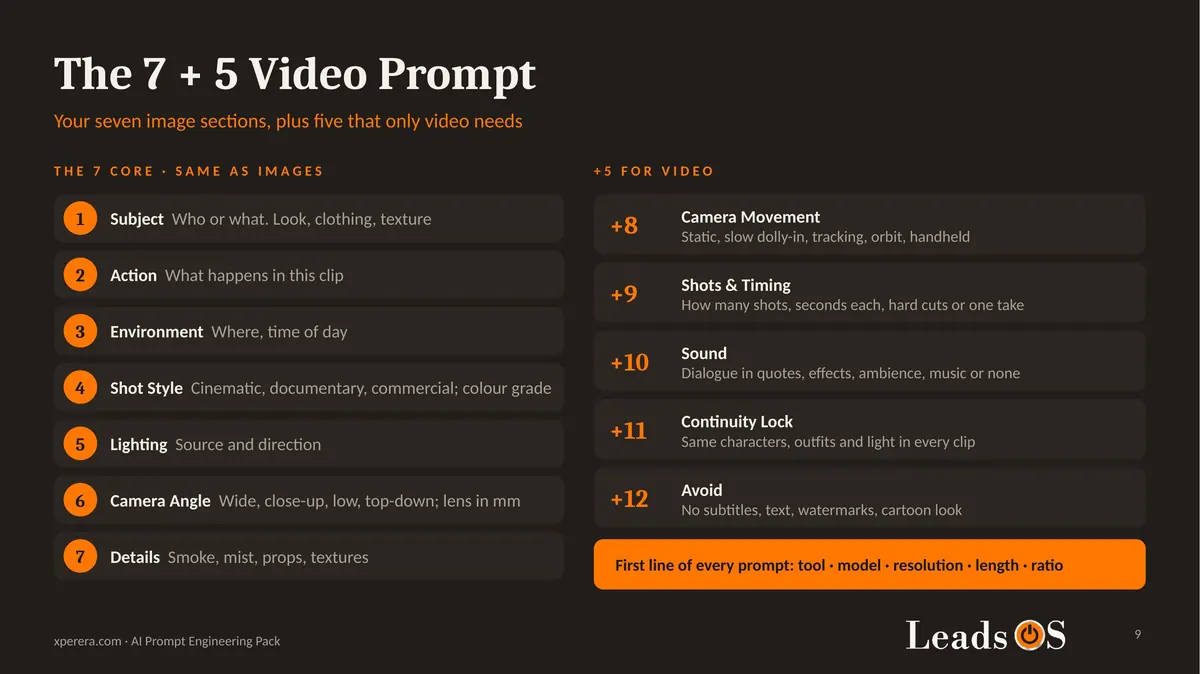
The 7 + 5 video prompt format: the seven image sections you may already know, plus five that only video needs: camera movement, timing, sound, continuity and what to avoid.
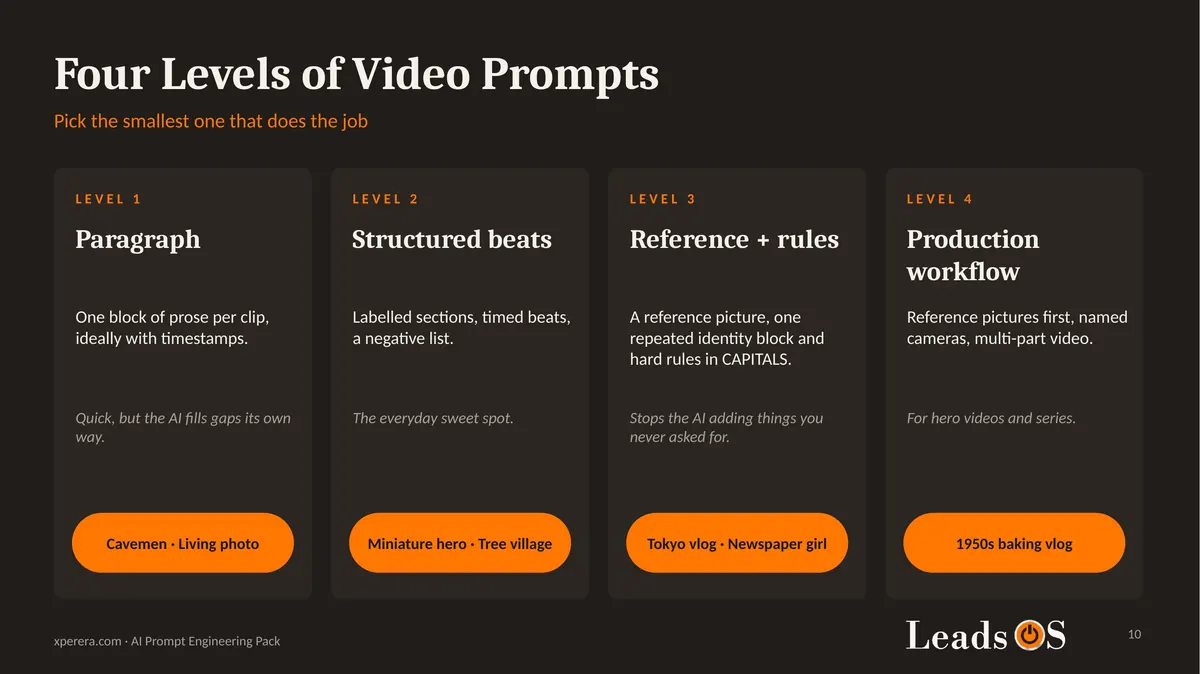
Four levels of video prompts: from a simple paragraph up to a full production workflow.
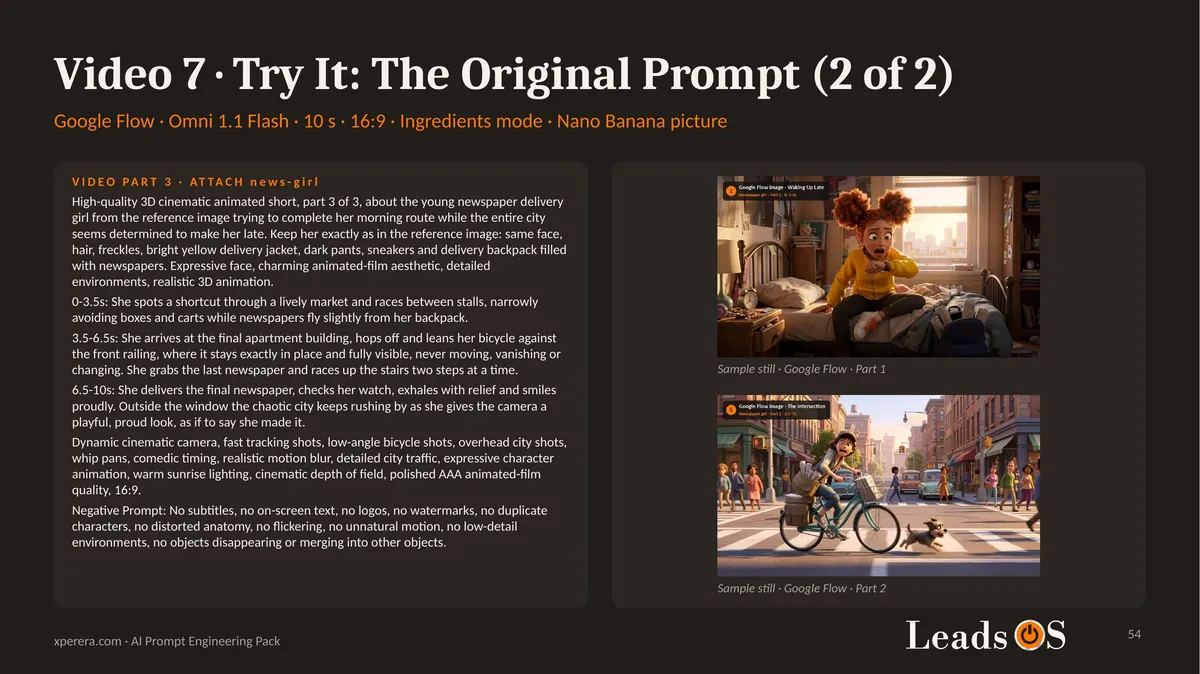
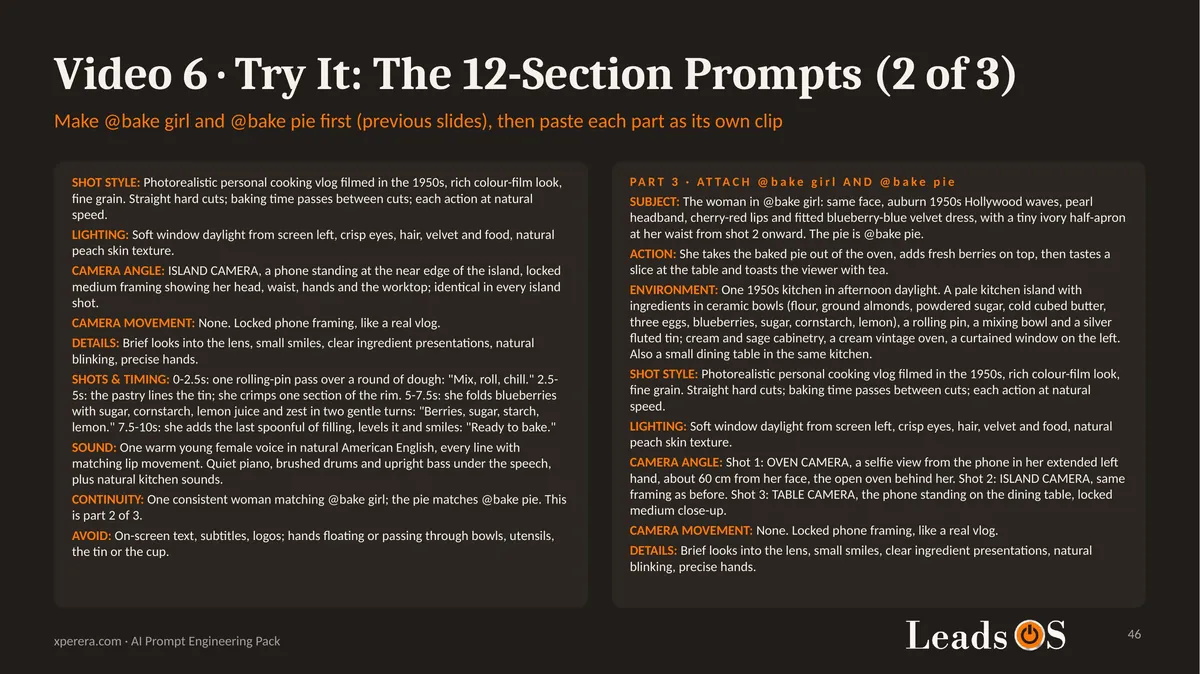
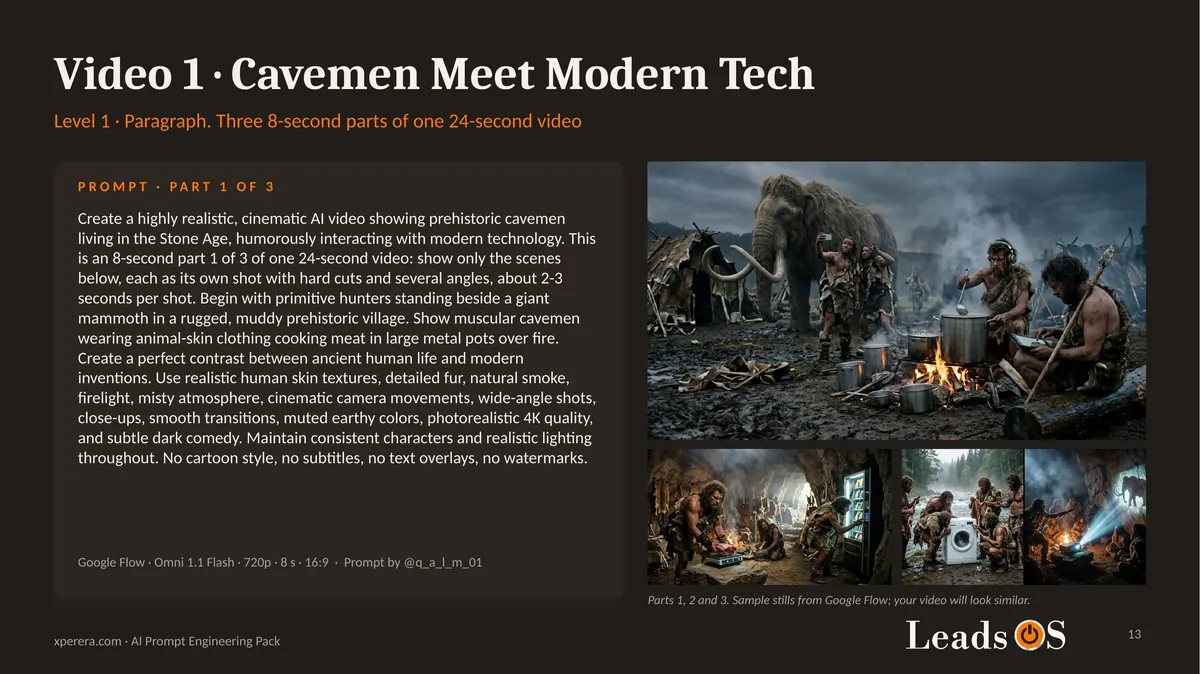
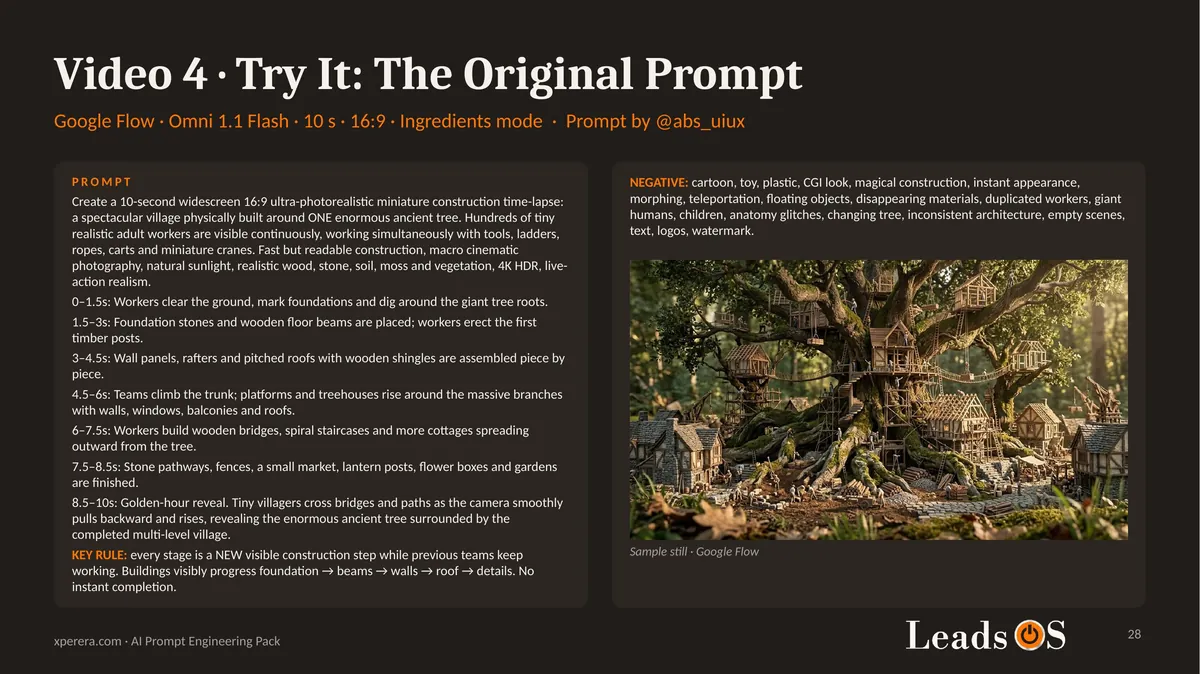
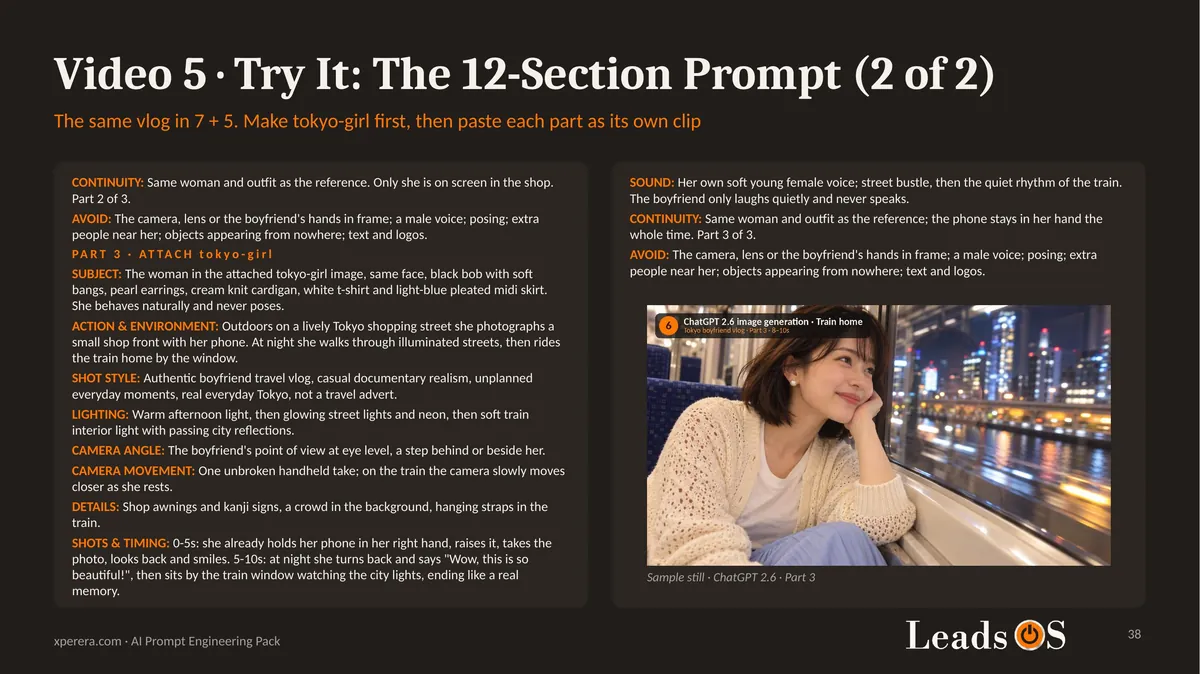
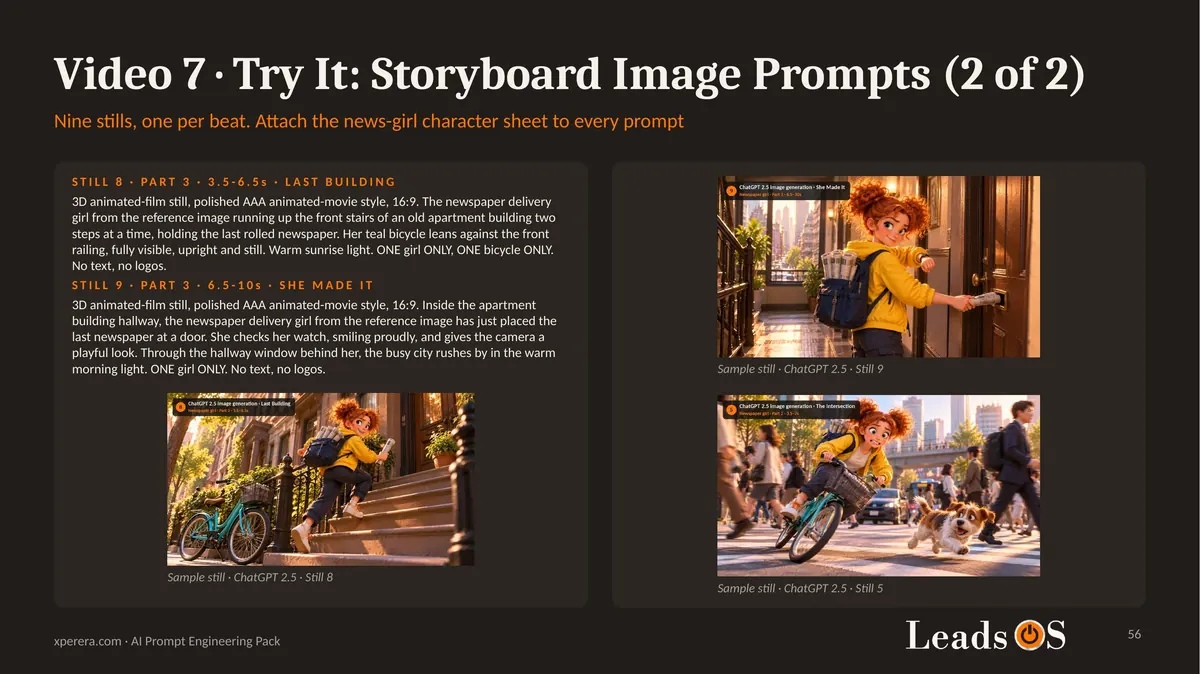
Seven worked examples: cavemen meeting modern tech, a living photograph, a miniature hero in a store, a village built around a tree, a Tokyo travel vlog, a 1950s baking vlog and an animated newspaper delivery story.
For each example: the story, the original prompt, what I changed and why, sample stills and copy-ready prompts.
Storyboard image prompts you can paste straight into ChatGPT.
Side-by-side tool tests showing where Flow and ChatGPT differ.
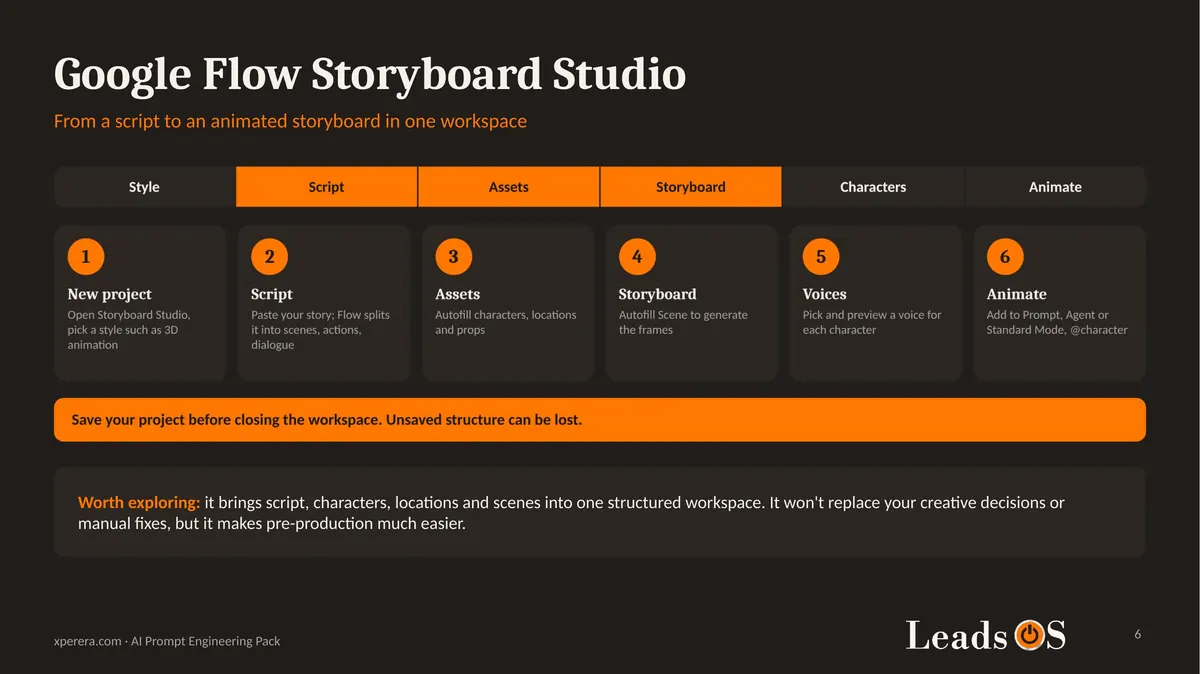
Google Flow Storyboard Studio: a step-by-step overview, from script to animated storyboard.
A 7-rule cheat sheet to keep next to your video tool.
Speaker notes with the full prompt text on every prompt slide.
The 7 + 5 format: one structure for every video prompt.
The 7 + 5 format in action: the 1950s baking vlog.
Four levels. Pick the smallest one that does the job.
Level 1 in practice: a single-paragraph prompt.
A Look at Google Flow Storyboard Studio
Want more than separate clips? Storyboard Studio is worth a look.
You paste a script, and Flow helps break it into scenes, characters, locations and storyboard frames. Then you animate them.
It won’t replace your creative decisions. But it makes the planning stage much easier.
Storyboard Studio in six steps. Remember to save your project.
Copy, Paste and Try
Every example ends with “Try It” slides.
The prompts are plain text, so you can select, copy and paste them into ChatGPT or Google Flow.
Change the character, the place or the story, and you have your own video.
An original creator prompt, ready to copy.
The same idea rebuilt in the 12-section format.
A Try It slide: copy-ready prompts with sample results.
Who This Is For
This pack is for small business owners, marketers and creators who want video for ads, social media or simple stories.
You don’t need a production budget, a camera or editing experience.
If you can write a sentence and upload an image, you can follow it.
Limitations You Should Know
I want to be honest about what this pack is, and what it isn’t.
AI tools change fast. Everything was tested in October 2026. Menus, model names and results may look different when you try them.
Results vary every time. The same prompt can give a different video on each run. Plan for a second attempt.
No tool is perfect. Flow sometimes changes your character for no clear reason. ChatGPT can stay consistent but drift away from your description.
It’s a beginner’s route. Advanced platforms such as Kling or Seedance are not covered. That’s a different lesson.
Some prompts are my suggestions. Several examples are adapted from creators, who are credited in the pack. Not every rebuilt version has been run end to end.
No prices are quoted. Credits and plans change often, so check each tool’s own pricing page.
Sample images are previews. Your animated video will move differently, but expect a similar look.
My advice: don’t chase the perfect AI video tool. Learn to make different tools work together, start with one small story, and practise.
Get the Free Pack
Enter your name and email above.
Confirm your email, and the download link arrives in your inbox.
Start small. Create a character. Build a few scenes. Animate them. Compare the results.